
Download MediaCenter Free – Free Mac Entertainment Software
Overview
MediaCenter Free is a lightweight, free entertainment program designed exclusively for macOS. Developed by Sparkling apps BV, this app delivers a seamless hub where users can organize, stream, and enjoy movies, music, podcasts, and photo slideshows without the need for multiple, expensive subscriptions. The interface is clean, modern, and optimized for Retina displays, allowing users to browse their media library with intuitive gestures and keyboard shortcuts. Because it’s a free tool, it appeals to both casual home users and power‑users who want a secure, ad‑free environment for their personal collection.
One of the strongest selling points of MediaCenter Free is its emphasis on privacy and security. The application does not collect personal data, nor does it embed hidden trackers—something that’s increasingly important in today’s software landscape. Updates are delivered automatically through the built‑in updater, ensuring that users always have the latest features and security patches without manual intervention. Although the app is free, it offers a professional‑grade experience that rivals many paid alternatives on the market.
The program is fully localized in English and integrates smoothly with macOS services such as Spotlight, Siri, and the Notification Center, enabling quick searches and voice‑controlled playback. Whether you’re a student looking for a simple music player, a family wanting an all‑in‑one movie center, or a creative professional who needs a reliable media preview tool, MediaCenter Free provides a versatile solution that runs efficiently on older Mac hardware as well as the latest Apple silicon models.
Key Features of MediaCenter Free
- Unified Media Library: Combine movies, TV shows, music, podcasts, and photos into a single searchable catalog.
- Drag‑and‑Drop Import: Quickly add files from Finder, external drives, or network shares with a simple drag‑and‑drop action.
- High‑Resolution Playback: Supports 4K video, lossless audio (FLAC, ALAC), and HDR content on compatible displays.
- Smart Playlists: Create dynamic playlists based on genre, rating, or custom tags, and let the app auto‑populate them.
- Subtitle & Closed‑Caption Support: Load external subtitle files (SRT, VTT) or enable embedded captions with one click.
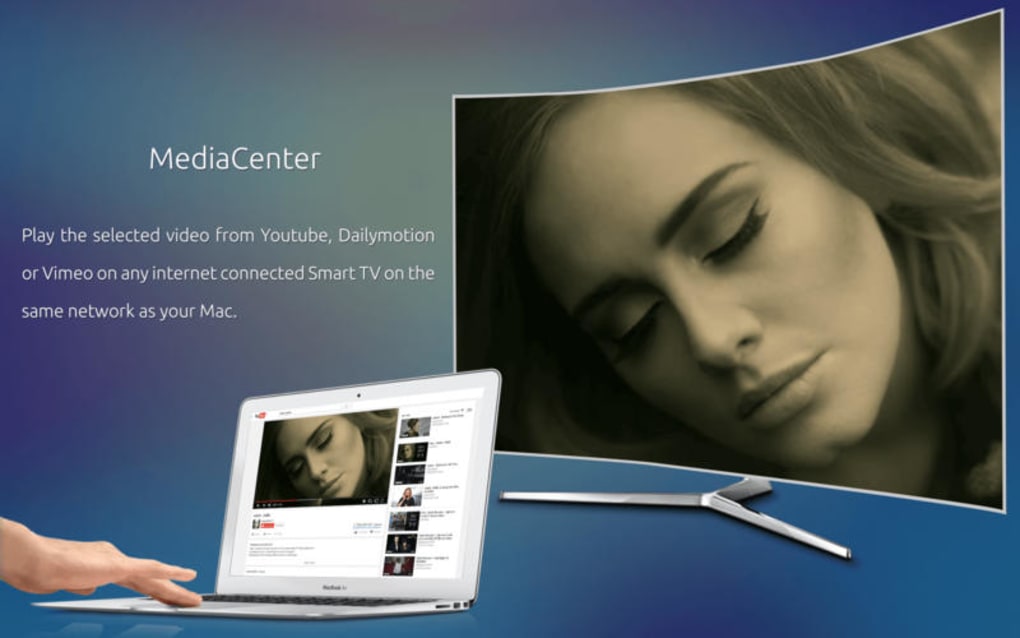
- Media Streaming: Stream content to AirPlay‑compatible devices, Chromecast, or DLNA‑enabled TVs directly from the app.
- Secure Updates: Automatic, signed updates keep the software current without exposing users to malware.
- Dark & Light Modes: Native macOS appearance adapts to system theme for comfortable viewing day or night.
- Keyboard Shortcuts & Gestures: Full support for macOS shortcuts, trackpad gestures, and remote control via Apple Remote.
- Metadata Fetcher: Pulls album art, movie posters, and episode information from online databases (TheMovieDB, MusicBrainz) while respecting user privacy.
Installation, Usage & Compatibility
Getting started with MediaCenter Free is straightforward. The download package is a signed .dmg file available from the official Sparkling apps website. After double‑clicking the .dmg, drag the MediaCenter icon into your Applications folder. macOS will verify the developer certificate, and once approved, the app is ready to launch.
When you first open MediaCenter Free, a brief onboarding wizard walks you through setting up your primary media folders. You can point the app to your Movies, Music, and Pictures directories, or select external storage devices for larger collections. The wizard also offers an optional automatic scan, which indexes your files and fetches missing metadata in the background.
In terms of compatibility, MediaCenter Free requires macOS 10.12 (Sierra) or later. It runs natively on Intel‑based Macs and Apple Silicon (M1/M2) thanks to Apple’s Rosetta 2 translation layer and native ARM support. While the application is tailored for macOS, the underlying architecture is built on cross‑platform libraries, which means future Windows or iOS versions could be released without major rewrites—though currently only the Mac version is available.
Once installed, everyday usage is intuitive. The main dashboard displays your media categories, recent additions, and a quick‑access “Now Playing” bar. To play a video, simply double‑click the thumbnail or press the spacebar for preview mode. For music, you can create a queue, shuffle tracks, or use the built‑in equalizer to fine‑tune sound output. The app also integrates with macOS’s Notification Center, providing playback controls without leaving your current workspace.
Because MediaCenter Free is a free tool, it does not contain intrusive ads or forced upgrades. However, the developers offer a voluntary “Support the Project” button that links to a donation page, allowing satisfied users to contribute to future development.
Supported Operating Systems: macOS 10.12 – 13 (Ventura), including Apple Silicon (M1/M2) and Intel processors.
Pros, Cons, FAQ & Conclusion
Pros
- Completely free with no hidden fees or ad‑ware.
- High‑resolution playback and full subtitle support.
- Secure, automatic updates keep the software safe.
- Intuitive drag‑and‑drop library management.
- Native macOS integration (Spotlight, Siri, Dark Mode).
Cons
- Only available for macOS at the moment; no Windows or Android version.
- Advanced video editing features are absent (focus is playback).
- Occasional metadata mismatches requiring manual correction.
Frequently Asked Questions
Is MediaCenter Free truly free or does it contain hidden charges?
MediaCenter Free is 100 % free. There are no subscription fees, in‑app purchases, or hidden charges. The developers only provide an optional donation link for users who wish to support future development.
Can I stream media from MediaCenter Free to my TV?
Yes. The app supports AirPlay, Chromecast, and DLNA streaming, allowing you to cast movies or music to compatible smart TVs and streaming devices directly from your Mac.
Does MediaCenter Free collect any personal data?
No. The software is built with privacy in mind and does not transmit personal information or usage statistics without explicit user consent.
What video formats are supported?
MediaCenter Free supports all common formats, including MP4, MOV, MKV, AVI, and HEVC (H.265). It also handles high‑resolution 4K and HDR content on compatible hardware.
How do I keep the app updated?
Updates are delivered automatically through the built‑in updater. When a new version is available, a notification appears, and you can install it with a single click.
Conclusion & Call to Action
MediaCenter Free stands out as a robust, secure, and genuinely free entertainment hub for macOS users. Its blend of high‑quality playback, intuitive library management, and deep macOS integration makes it a compelling alternative to pricier media centers. While the lack of Windows or mobile versions may limit cross‑device flexibility, the app excels in its niche, delivering a polished experience without compromising privacy.
If you’re looking to consolidate your media collection under a single, ad‑free interface, download MediaCenter Free today and enjoy a seamless entertainment experience on your Mac. The installation process is quick, the UI is user‑friendly, and the regular updates keep the software secure and up‑to‑date. Give it a try—your movies, music, and photos deserve a better home.
MediaCenter Free delivers a smooth, feature‑rich media experience on macOS without any cost. The interface feels native, playback quality is excellent, and the privacy‑first approach is refreshing. Minor drawbacks include the absence of a Windows version and occasional metadata glitches, but overall it’s a solid free tool for anyone who wants a reliable media hub.







